
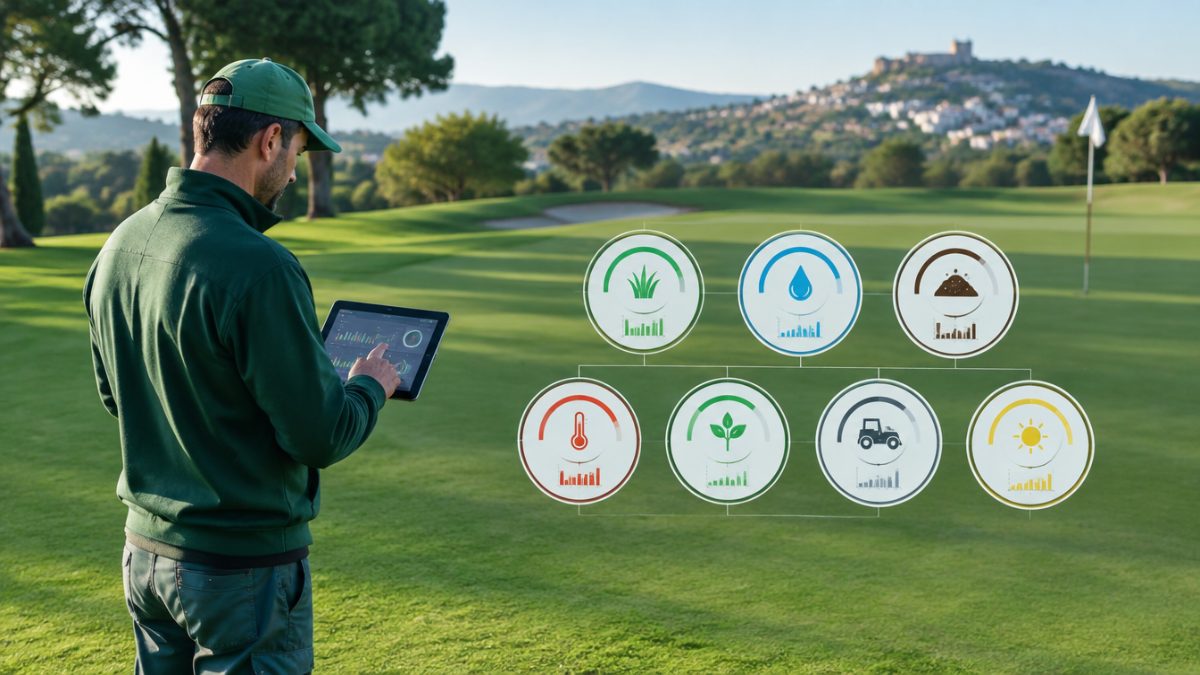
The head greenkeeper makes dozens of decisions a day and handles an enormous amount of information, almost all of it scattered: paper work sheets, messages, invoices, notes in a notebook. A greenkeeper dashboard brings together in one place the few figures that really tell you whether the course is going as expected, and let you spot in time when it is not.
In this article we propose seven key metrics, explain what each one is for, how to obtain the data without complicating the team’s work and how to use them in meetings with management and the green committee.
What a good greenkeeper dashboard should have
Before choosing metrics, it is worth setting three principles. First: few figures, well chosen. A greenkeeper dashboard with twenty indicators ends up unread. Second: each metric must answer a decision, for example reallocating hours, checking a machine or adjusting irrigation. Third: the data must be obtainable with no extra effort, from what the team already records every day.
If a figure never changes what you do, it probably does not deserve a place on the dashboard. And if it takes an hour to obtain each week, it does not either. Start from there to build a short, useful and sustainable list.
It is also worth deciding who is responsible for each piece of data and how often it is updated. A greenkeeper dashboard without an owner goes out of date within a few weeks, whereas one with clear owners becomes part of the team’s routine.
Metric 1: work hours by course zone
Knowing where the team’s time goes is the basis of any analysis. Recording hours by zone (greens, tee boxes, fairways, rough, bunkers, common areas) lets you see whether the distribution matches the course’s priorities and detect imbalances that are not obvious at a glance.
Over time, this data helps justify staffing needs, plan tasks better and explain to the committee why one zone costs more than another. To make it comparable, always use the same zone and task categories.
A typical example: when reviewing this metric, a team discovers that bunkers absorb far more hours than planned after every rain episode. With that data on the table, the greenkeeper dashboard stops being a report and becomes an argument for rethinking the drainage design or the resources allocated.
Metric 2: task plan completion
The second metric compares what was planned with what was done. The aim is not to police the team but to understand which part of the plan is met, what is postponed and why. Recurring reasons (rain, breakdowns, staff shortages) are valuable clues for improving planning.
An effective greenkeeper dashboard includes this indicator because it turns the feeling of “we are stretched” into an objective, discussable figure. It also makes it possible to recognise the team’s work when the plan is met in difficult conditions.
A useful variant is to separate critical tasks, such as green mowing or irrigation, from secondary ones. That way the greenkeeper dashboard shows not only how much is completed but what gets sacrificed when time runs short, and the committee better understands the real priorities of maintenance.
Metric 3: machinery hours and condition
Every machine has its own pattern of use and wear. Record operating hours, inspections carried out and incidents to know which machines are approaching their service and which concentrate the most breakdowns. It is the basis for moving from repairing to preventing.
Complement this indicator with downtime due to breakdowns. If a mower spends weeks out of service during the season of greatest need, the dashboard must show it clearly, because it probably points to a problem with spare parts, servicing or fleet renewal.

Metric 4: water consumption by sector
Irrigation is one of the most sensitive costs and topics on a course. Recording consumption by sector, together with weather conditions, lets you compare zones, detect leaks and assess whether programming changes are delivering results.
Always interpret the data in context: an increase in consumption may be a breakdown, but it may also be a heatwave. That is why it is worth adding a note with the reason alongside the figure, so that the history is useful in a few months. A greenkeeper dashboard that shows consumption by sector also makes conversations with management about costs and responsible water use easier, using the course’s own data.
Metrics 5 and 6: applications made and incidents
The fifth metric covers applications of fertilisers and products: how many were made, in which zones and how often, always within the regulations and the recommendations of an authorised adviser. It helps maintain traceability and detect excesses or gaps in management.
The sixth is incidents: breakdowns, irrigation breaks, vandalism damage, disease outbreaks or player complaints. Counting and classifying them shows which problems repeat and where it is worth investing time in prevention. A greenkeeper dashboard that includes incidents changes the conversation: it moves from anecdotes to trends.
Metric 7: surface quality and how to present it
The last metric connects the work with the result: the perceived and measured quality of the surfaces. You can combine objective measurements of green speed and firmness with a simple assessment of overall condition, always taken with the same method and under the same conditions.
When presenting the greenkeeper dashboard to the committee, take care over these aspects:
- Show the evolution over time, not just the figure of the moment.
- Accompany each indicator with a brief explanation in non-technical language.
- Highlight two or three decisions that follow from the data.
Close each presentation with a concrete question for the committee, for example which priority to assign for the next quarter. That way the greenkeeper dashboard is used as a shared decision tool and not as a mere accountability exercise.
Further reading: GCSAA. The GCSAA, the golf course superintendents association, publishes resources on course management and budgeting that serve as a reference for structuring indicators.
Frequently asked questions
How many metrics should a greenkeeper dashboard have?
Between five and eight is recommended. Fewer may leave out relevant information, and more are usually hard to maintain and interpret. What matters is that each metric answers a specific decision and can be obtained from the team's daily records, without adding unnecessary administrative tasks.
How do I start building my greenkeeper dashboard?
Start by consistently recording hours by zone and task, water consumption and machinery incidents. With a few weeks of organised data you can already calculate the first metrics. Then add surface quality and plan completion indicators, always checking that they are useful for making decisions.
How often should the indicators be reviewed?
It depends on the metric. Operational ones, such as the task plan or incidents, are reviewed weekly. Trend ones, such as consumption or costs by zone, make more sense monthly or by season. What matters is to set a stable review schedule and keep a record of the decisions taken from the data.
Keep reading
- maintenance KPIs for the course Course Maintenance KPIs: 8 Useful Indicators
- how to prepare the report for the green committee Green Committee Report: 6 Essential Sections
- digital work orders Digital Work Orders: 6 Advantages on the Course